
Swift Folder Cleaner
Visual Disk Space Analyzer
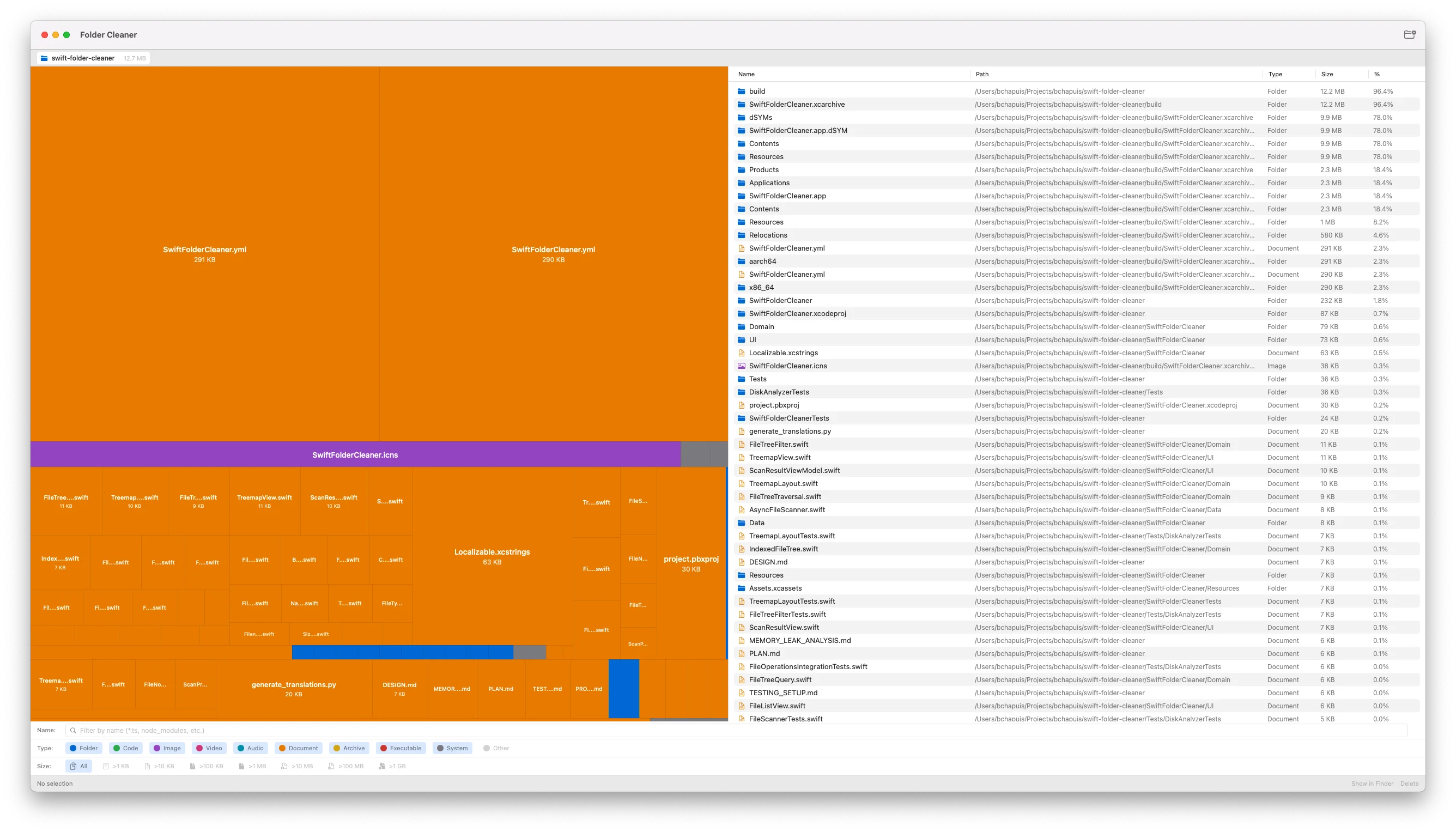
Swift Folder Cleaner shows you where your disk space goes.
Scan any folder to see its contents as a visual treemap. Large files appear as large rectangles. Small files appear small. Colors indicate file type. One glance reveals what's taking up space.
Features
- Visual Treemap – Files and folders sized proportionally to disk usage
- File Type Colors – Code, documents, images, videos, archives, and more
- Multiple Filters – Filter by file type, size range, or filename pattern
- Quick Navigation – Click to drill down, use breadcrumbs to navigate back
- File List View – Sortable table showing name, size, type, and date
- File Operations – Show in Finder or move to Trash
- Real-Time Scanning – Watch progress as your folder is analyzed
- Keyboard Support – Navigate and operate without touching the mouse
How It Works
- Click "Scan Folder" and select any directory
- Watch the scan progress in real time
- Explore the treemap visualization
- Filter files by type, size, or name
- Select files to inspect or delete
- Clean up and reclaim disk space
Technical Details
Built natively for macOS using Swift and SwiftUI. Requires macOS 13 or later. Supports both Apple Silicon and Intel Macs. Runs in the App Sandbox for security.